IPO Result Check in Nepal: How to Check IPO Allotment Online
15 hours ago 20

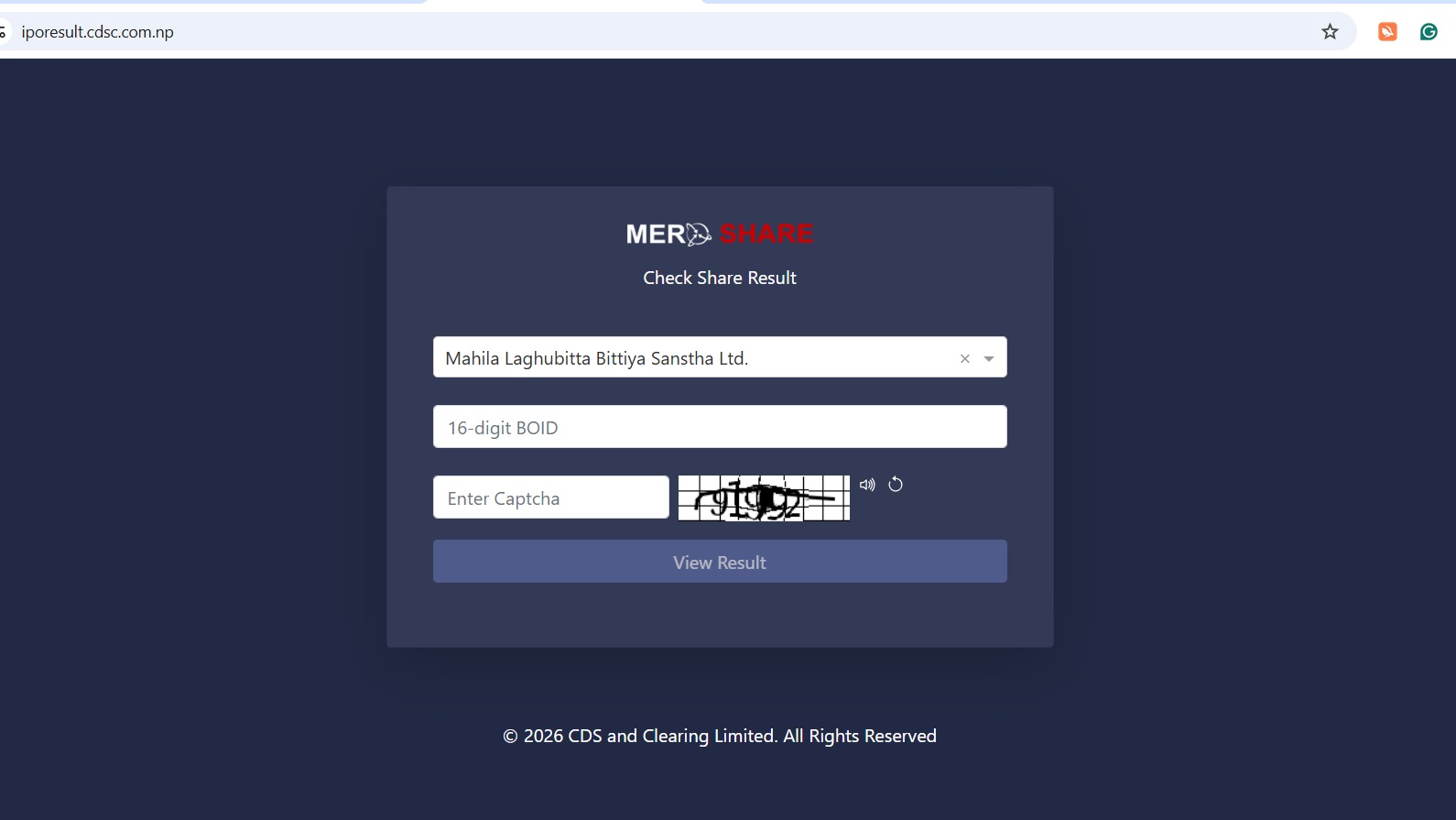
Waiting for an IPO result can be exciting, especially when a large number of people have applied for the same issue. Once the shares are allotted, the investors in Nepal can check their IPO result online without visiting their bank or even broker.
The easiest way to do an IPO result check is through the official IPO result system provided by CDS and Clearing Limited (CDSC). You can also use MeroShare to check whether the shares have been credited to your Demat account after the allotment process is completed.
If you have recently applied for an IPO and are wondering whether you received the shares, here is how you can check your result.
An IPO result shows whether the shares you have applied for, have been allotted to you or not.
For example, if you applied for 10 shares and received an allotment of 10 shares, the result will show that you were allotted the shares. If you were not selected in the allotment, the result will then indicate that no shares were allotted to you.
IPO allotments in Nepal are generally carried out after the issue closes and the applications are processed. Because many public issues receive applications for more shares than are available, not every applicant receives an allotment.
There are a few ways to check your IPO allotment result. The most direct option is the CDSC IPO result portal, while MeroShare can be used to check the application and, after allotment, the shares credited to your Demat account.
CDSC operates an online system for checking IPO allotment results.
To check your IPO result,
Your IPO allotment result will appear on the screen.
The official CDSC website provides an IPO Result link through its website.
If the result has just been published, the website may receive a large number of visitors at the same time. If the page is slow or temporarily unavailable, waiting for a while and then trying again can actually help.
You can also use MeroShare app in order to check the status of your IPO application.
After logging into your MeroShare account
MeroShare is an online service operated by CDSC that allows investors to view their Demat information and apply for public issues through C-ASBA.
Keep in mind that checking the application in MeroShare is not exactly the same as checking the final allotment result. For the actual allotment result, the CDSC IPO result system is generally the more direct option.
If the IPO result system asks for your BOID, enter the 16-digit number carefully.
For example, if your BOID is shown in your Demat account, copy the number rather than entering it from memory. A single incorrect digit can prevent the system from finding your result.
After entering the required details, complete the verification step and submit the form.
If the allotment has already been published, the system should display your result.
If the result shows that shares have been allotted to you, the next step is generally to wait for the shares to be credited to your Demat account.
You do not normally need to visit the company or bank simply because you received an IPO allotment.
After the shares are credited, you can check your holdings through MeroShare.
CDSC's own information explains that investors can use MeroShare to view securities held in their Demat account and other related information.
If your IPO result says that no shares were allotted, it simply means your application was not selected for the available shares.
This is common with heavily oversubscribed IPOs. A large number of investors may apply for the issue while the number of shares available for the public is limited.
If you were not allotted shares, the amount blocked for the IPO application is generally released according to the applicable C-ASBA process.
There is no need to submit another application simply because you were not selected.
Checking the IPO result and checking your Demat balance are two slightly different things.
Once the allotment process is complete, you can log in to MeroShare and check your holdings.
Go to the section showing your current holdings or the Demat information and look for the newly allotted company's shares.
CDSC also provides information about investors' securities and Demat accounts through its electronic services.
If the shares do not appear immediately after the result is published, then give the concerned parties some time to complete the crediting process.
For the most current IPO result information, always check the official CDSC platform and the relevant issue notices.
Comments (0)