A Comprehensive Tripo Tutorial: How This AI 3D Model Generator Works
5 months ago 400

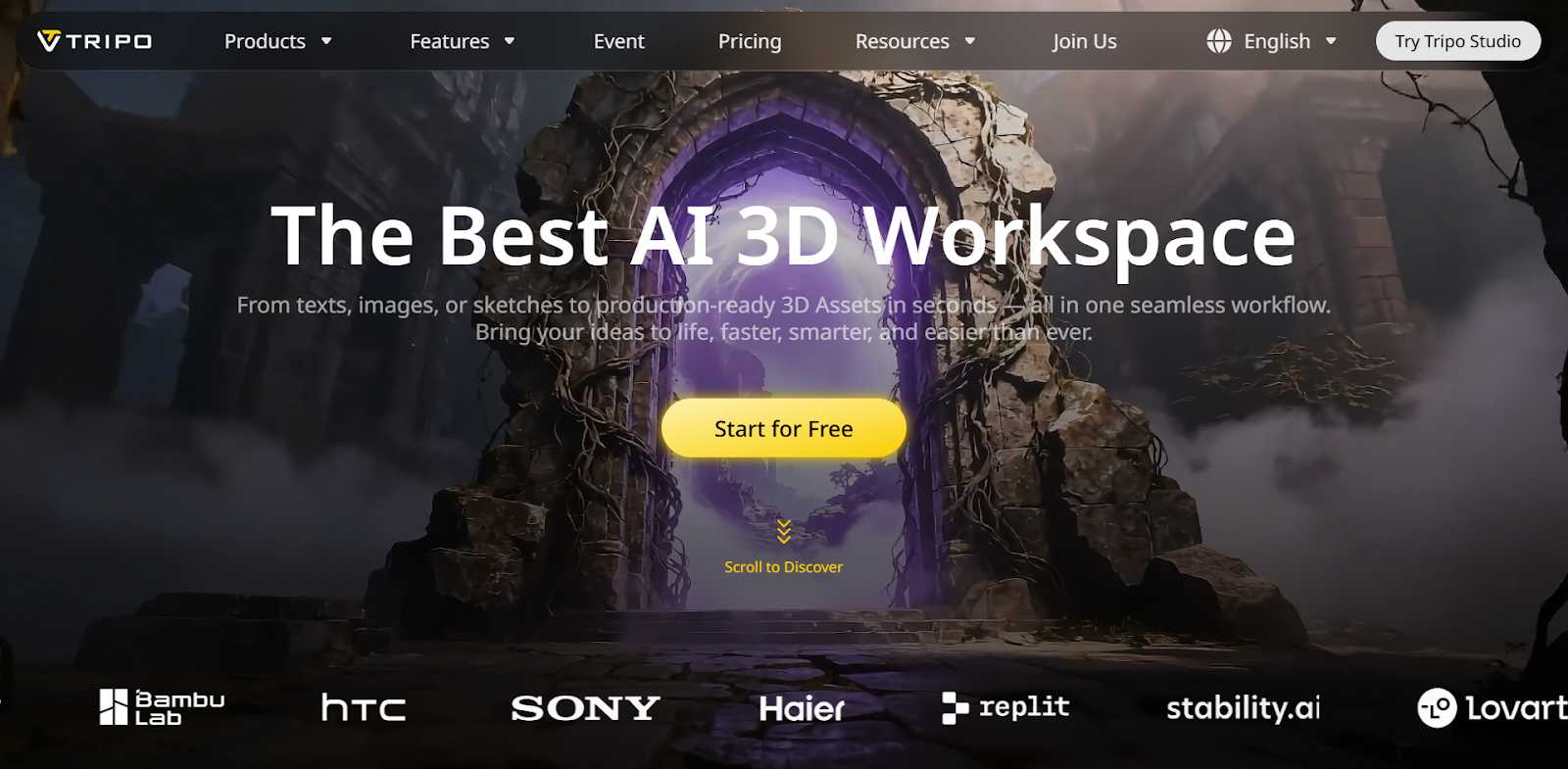
As digital creation continues to evolve, many people are realizing how challenging it can be to create a 3D model from scratch. Traditional 3D workflows require significant time investment, familiarity with multiple software tools, and the ability to overcome a steep technical learning curve. For those interested in 3D—especially beginners just entering the field—the process can quickly become overwhelming. The learning curve is brutal, the software intimidating, and patience wears thin fast.
This is why AI 3D model generators have seen rapid adoption. Rather than spending weeks mastering complex tools, creators are increasingly turning to AI-powered solutions to accelerate production, explore ideas more freely, and reduce technical friction. Among the growing number of tools available, Tripo Studio stands out.
Built for both studios and freelancers, Tripo Studio helps creators generate professional-quality 3D assets in seconds. Its AI-generated yet creator-directed approach delivers a fully controllable, editable 3D workflow. Imagine bringing your concepts to life almost instantly—transforming text or images into usable 3D assets with Tripo AI. This tutorial will explore how Tripo works and how to unlock the full potential of this AI 3D model generator in real-world workflows.
Tripo AI transforms text, images, or sketches into production-ready 3D assets in seconds—all within a seamless, end-to-end workflow. Designed to support use cases across gaming, architecture, and product design, Tripo AI enables rapid 3D model creation while significantly improving both speed and output quality. At the core of the platform is Tripo Studio, an all-in-one AI 3D workspace where creators can generate, refine, and manage their 3D models within a unified interface. Through intuitive tabs, users can iterate on models efficiently.
What truly sets Tripo apart isn't just its speed—though that alone is impressive. It's the combination of multiple creation methods, particularly its powerful image-to-3D conversion, paired with robust editing tools that give creators real control over what the AI generates. This balance between automation and editability makes Tripo a practical AI 3D model generator for real-world industries.
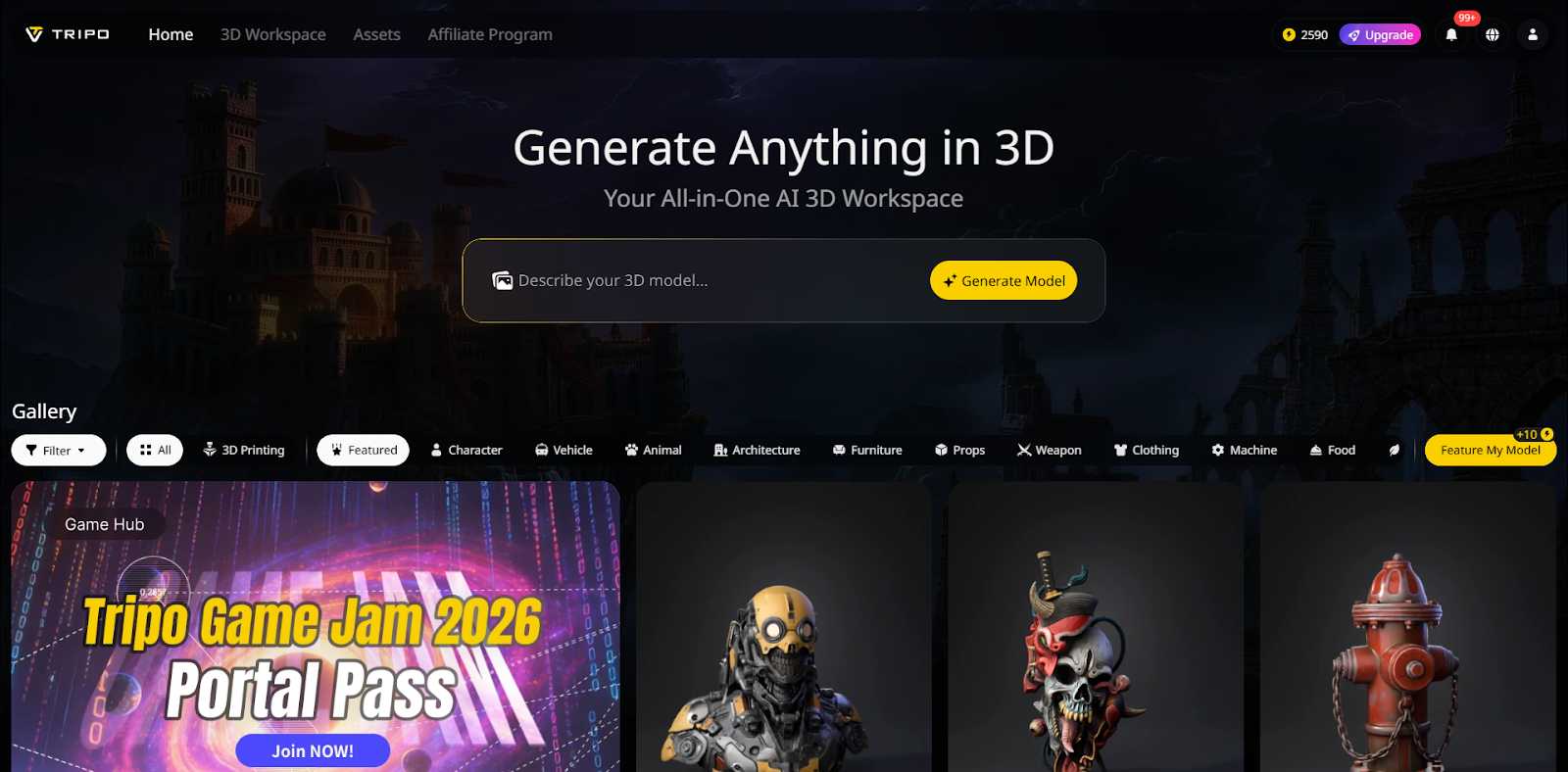
Before experiencing the full capabilities of Tripo, the first step is to visit Tripo AI's official website and create an account using your email or other available sign-up methods. Once registered, you'll be taken to the dashboard, where all key features are easily accessible.
Tripo provides multiple pricing tiers, allowing you to choose the plan that best fits your needs. By clicking Upgrade, you can view a detailed breakdown of each plan and compare the available features before making a decision. If you simply want to try the platform and get a feel for how it works, the free Basic plan allows you to generate 3D models and access several pro features.
The 3D workspace is where high-quality 3D models are generated and where Tripo's AI-powered tools come into play. Next is the Assets section, which serves as your personal library. Here, you can view all your created and collected models, conveniently organized into categories such as untextured, textured, and rigged. This structure makes it easy to manage assets at different stages of production.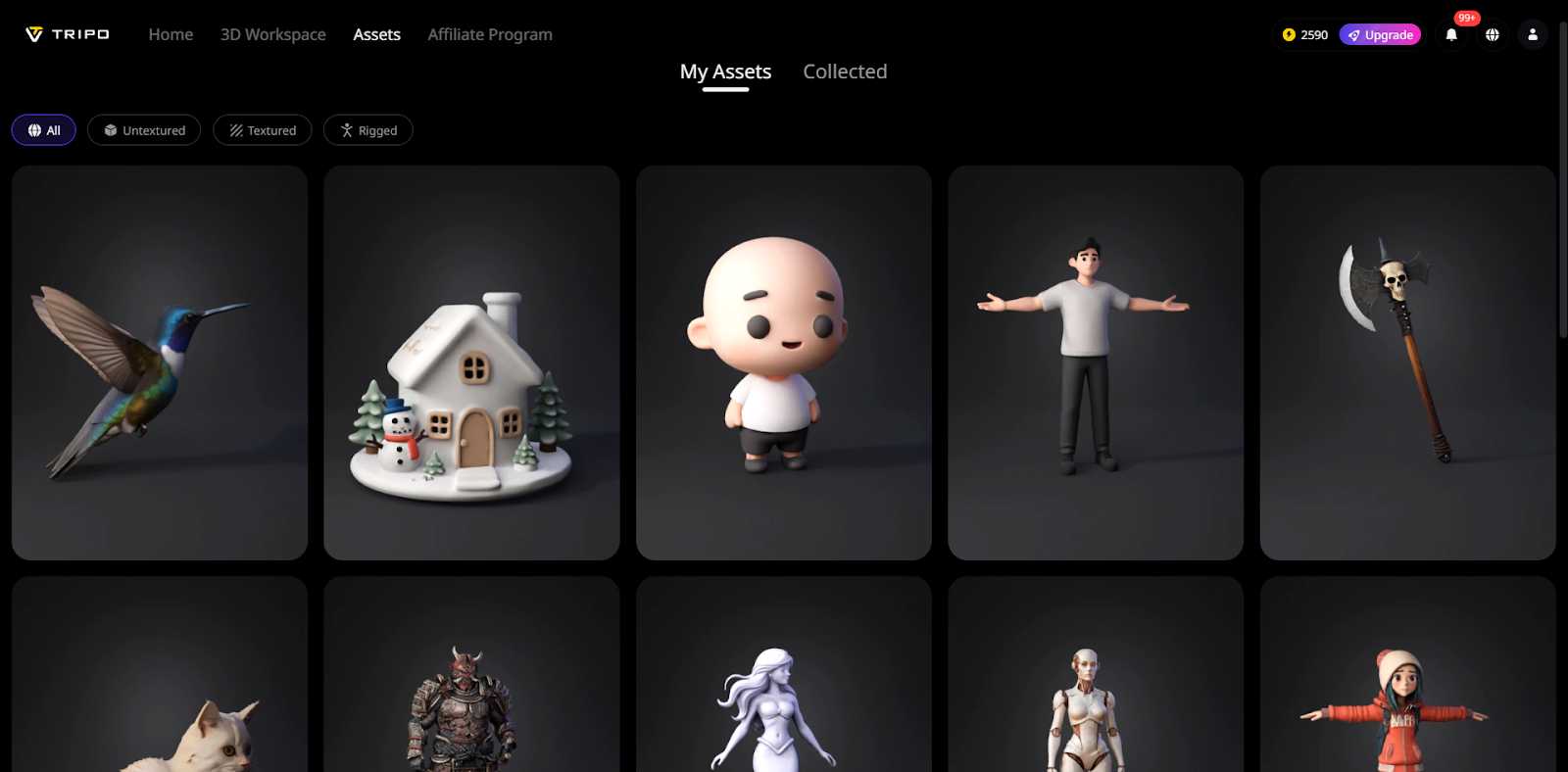
Tripo also features a public Gallery, where you can showcase your own models, explore creations from other users, and even recraft existing models to fit your needs. In addition, the platform offers an Affiliate Program, giving creators the opportunity to turn their creativity into income through the Tripo 3D Affiliate Program.
Tripo provides two ways to generate models,simplifying the 2D to 3D process.
Method 1: Image to 3D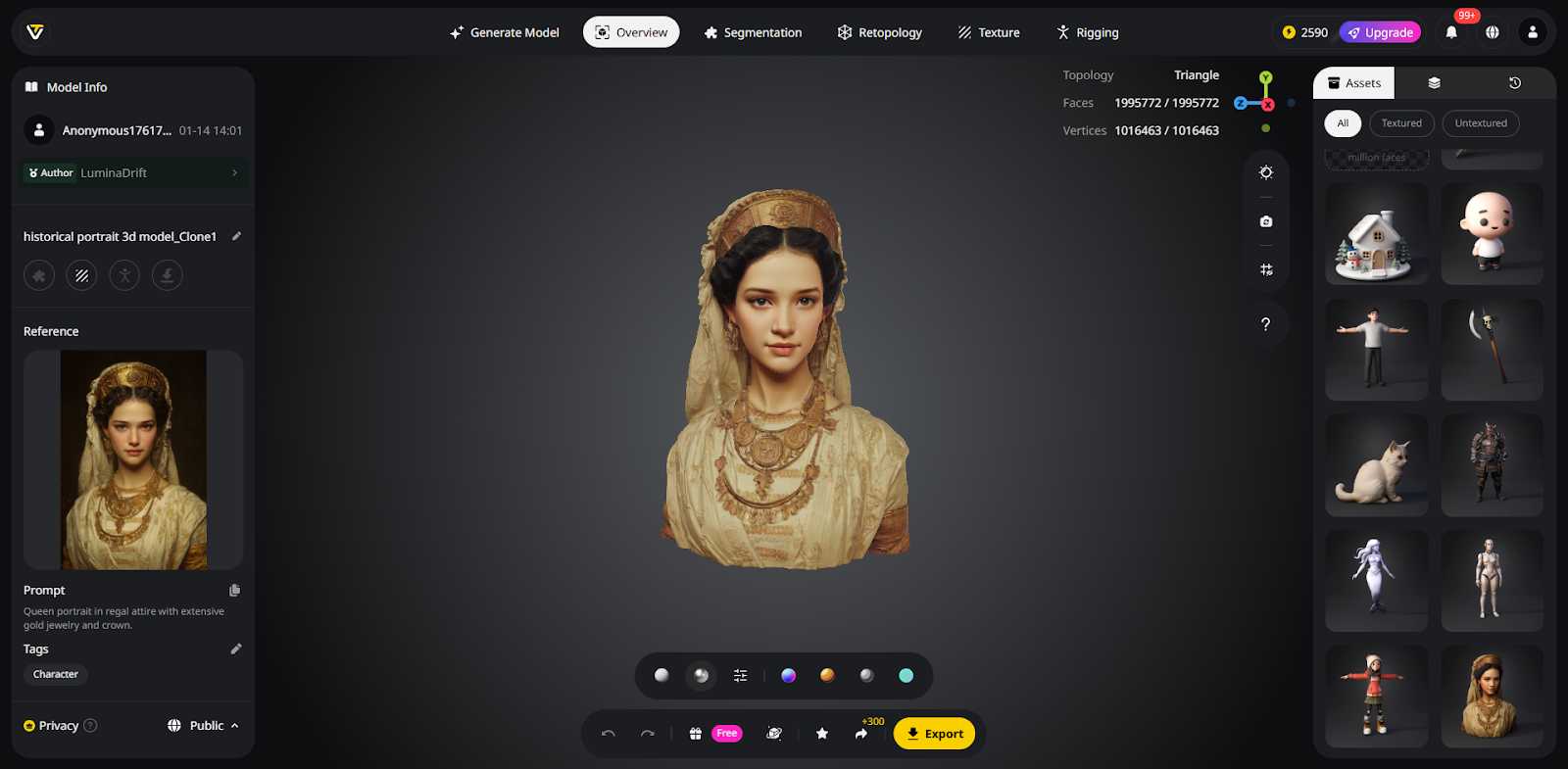
The Image to 3D Model feature converts 2D images into fully textured 3D models while preserving the original shape and style. Upload a single image or multiple references, and Tripo Studio generates a ready-to-use asset in seconds. Support for multi-view inputs and batch processing improves reconstruction accuracy and efficiency.
Tip: Avoid uploading images that are too flat, have a messy background, or show incomplete subjects.
Method 2: Text to 3D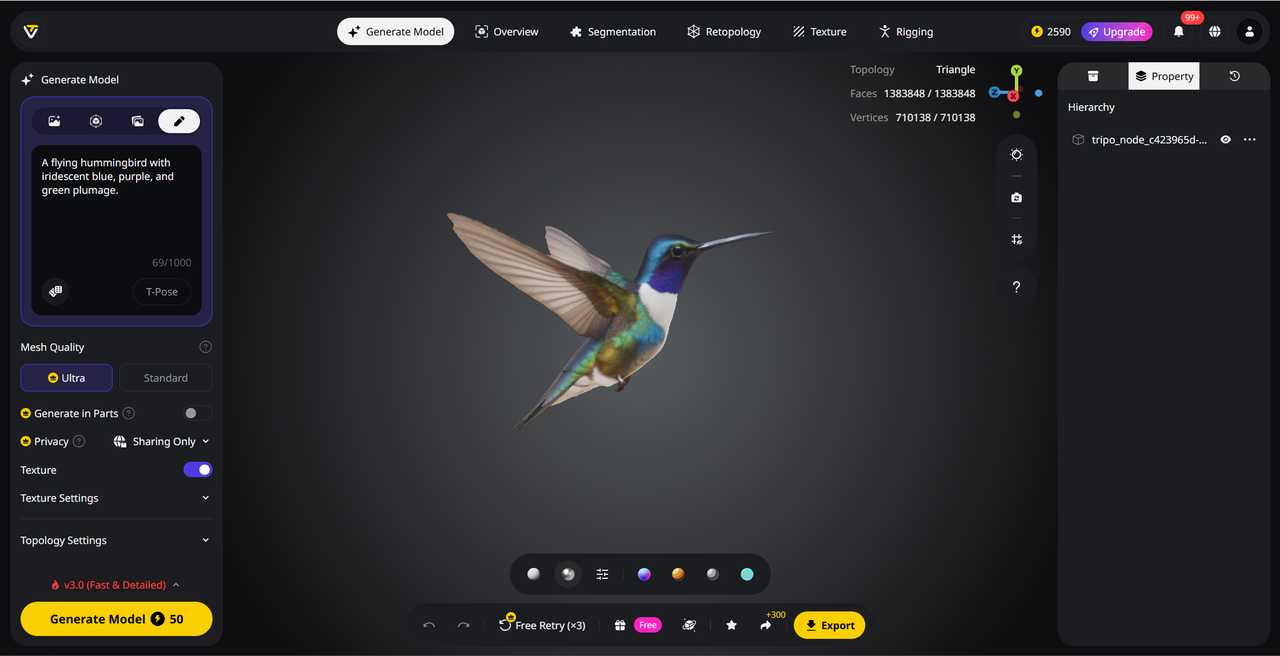
The Text to 3D Model feature in Tripo generates detailed 3D models directly from written prompts, eliminating manual modeling in early concept stages. Simply describe an object's shape, materials, and style, and Tripo turns your idea into a production-ready 3D asset in moments, perfect for rapid brainstorming and visual exploration.
Tip: Include key details in your prompt for best results:
Generating the model is just the start; the real power of Tripo comes through its editing suite, Tripo Studio.
Intelligent Segmentation
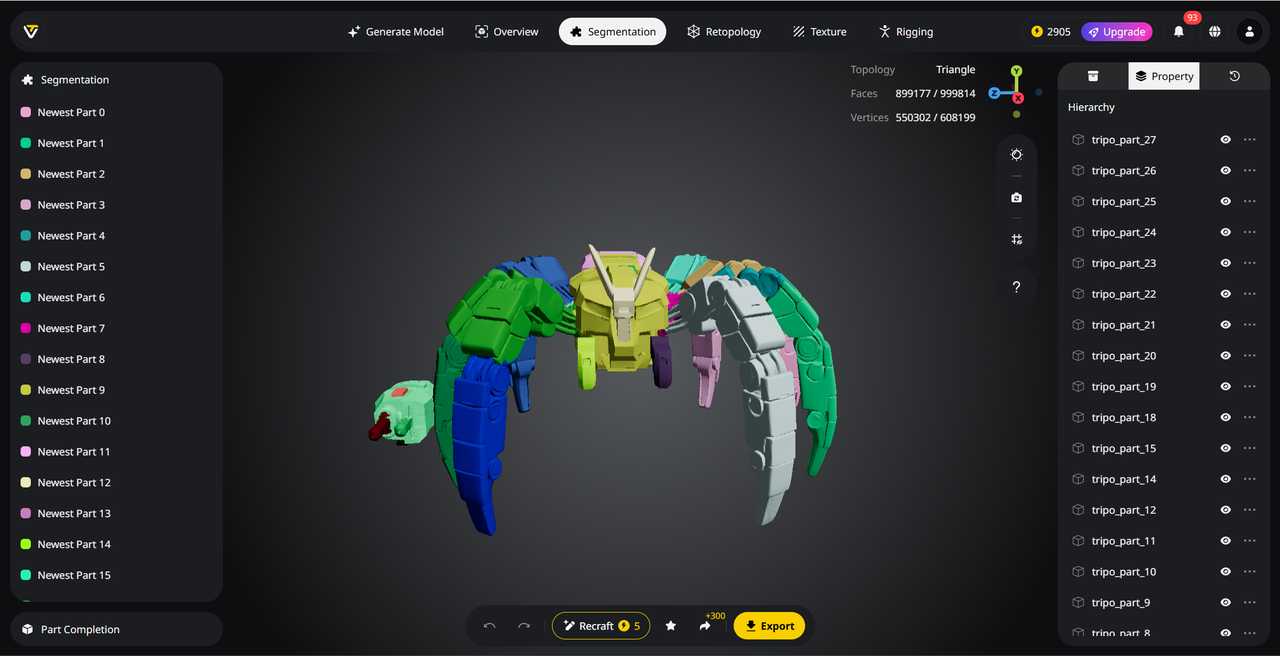
Tripo's AI Model Segmentation lets you work with 3D models at the component level instead of a single rigid mesh. This AI-powered feature automatically analyzes a model and separates it into clean, logical, and editable parts—such as limbs, accessories, or structural elements. Creators can adjust, refine, or recombine specific sections with precision, without affecting the rest of the model. Segmented components maintain well-organized topology and clear structure, making them easy to edit, rig, or export. By working modularly, Tripo Studio streamlines detailed edits and supports downstream workflows, enabling reuse, adaptation, and further refinement across projects.
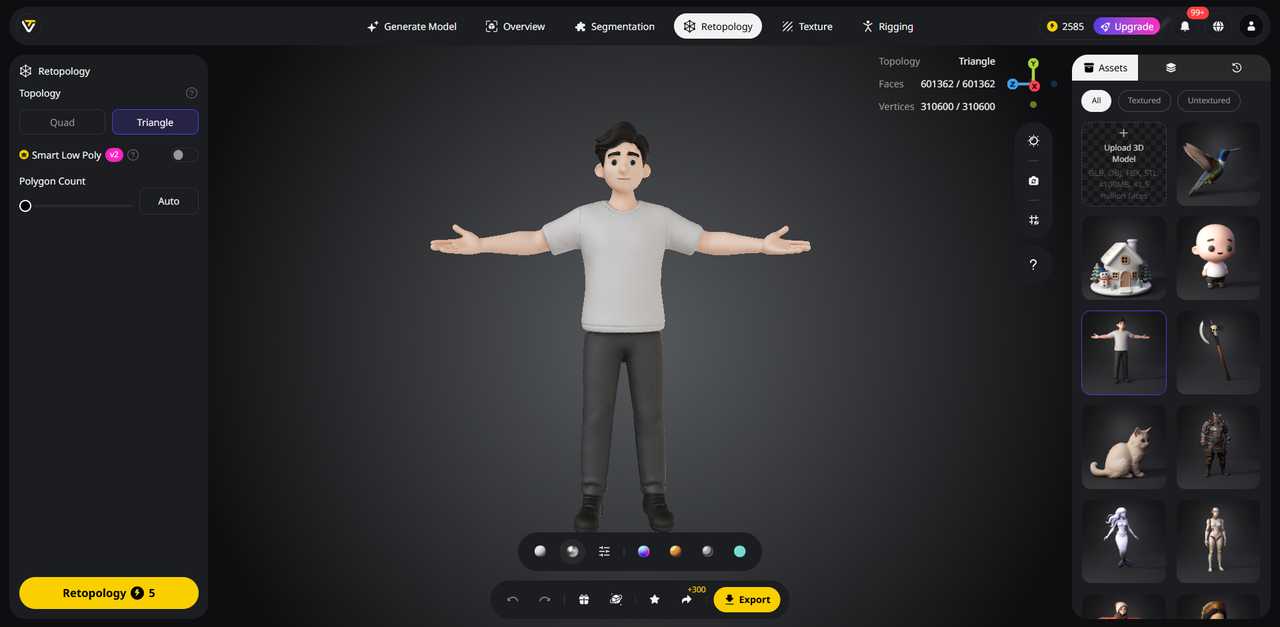
Smart Retopology automates the time-consuming process of creating clean, animation-ready meshes. Its AI analyzes the model’s surface and structure to generate optimized quad or triangle meshes, preserving essential details while reducing unnecessary geometry. Users can choose topology types—Smart Low Poly for lightweight edits, quad-based for animation, or triangle-based for high-detail needs—either during or after generation. This can be set during generation or after generation. Generated meshes are ready for real-time applications, games, VR/AR, or mobile projects, letting creators focus on design rather than repetitive cleanup.
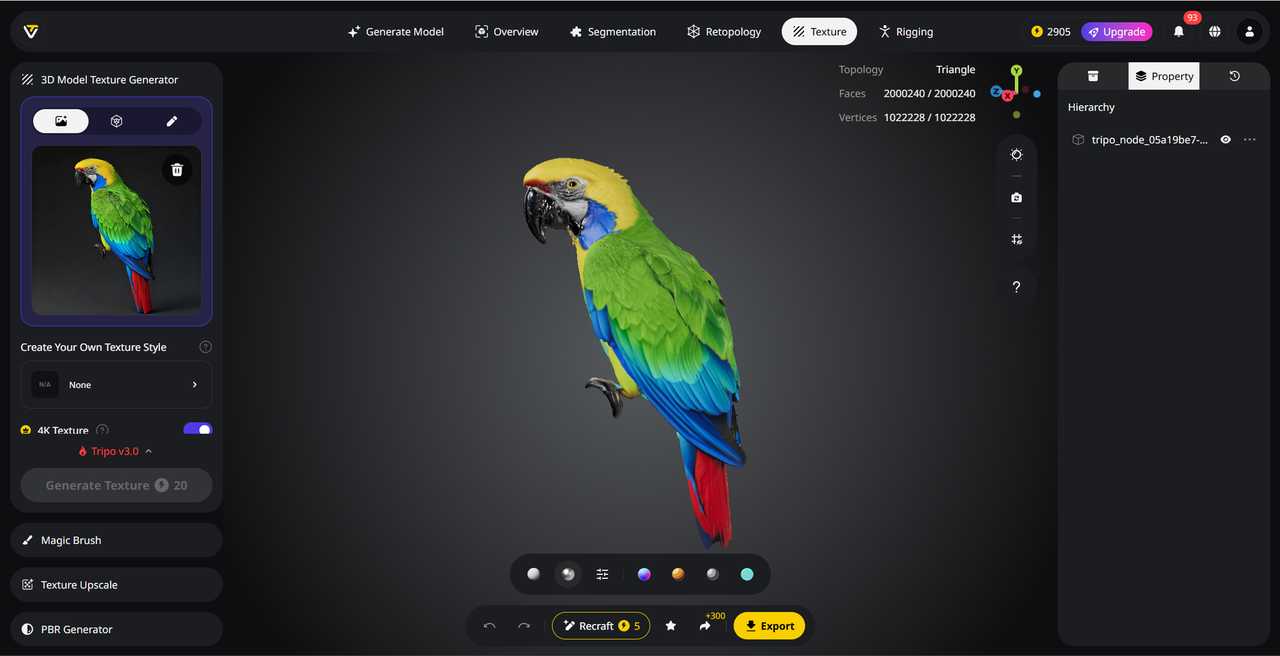
AI Texturing in this AI 3D model generator transforms blank models into fully textured 3D assets with realistic textures and PBR materials in seconds. Its AI automatically applies consistent color, style, and material across the entire surface, eliminating the need for manual UV painting. Creators can choose preset styles or upload reference images to apply their own texturing style, making each asset unique.
For precise control, the Magic Brush allows localized edits, enabling corrections, detail enhancements, or repainting specific areas without affecting the full model. High-resolution, AI-upscaled textures ensure sharp details and realistic surface quality, ready for games, visualization, and product design.
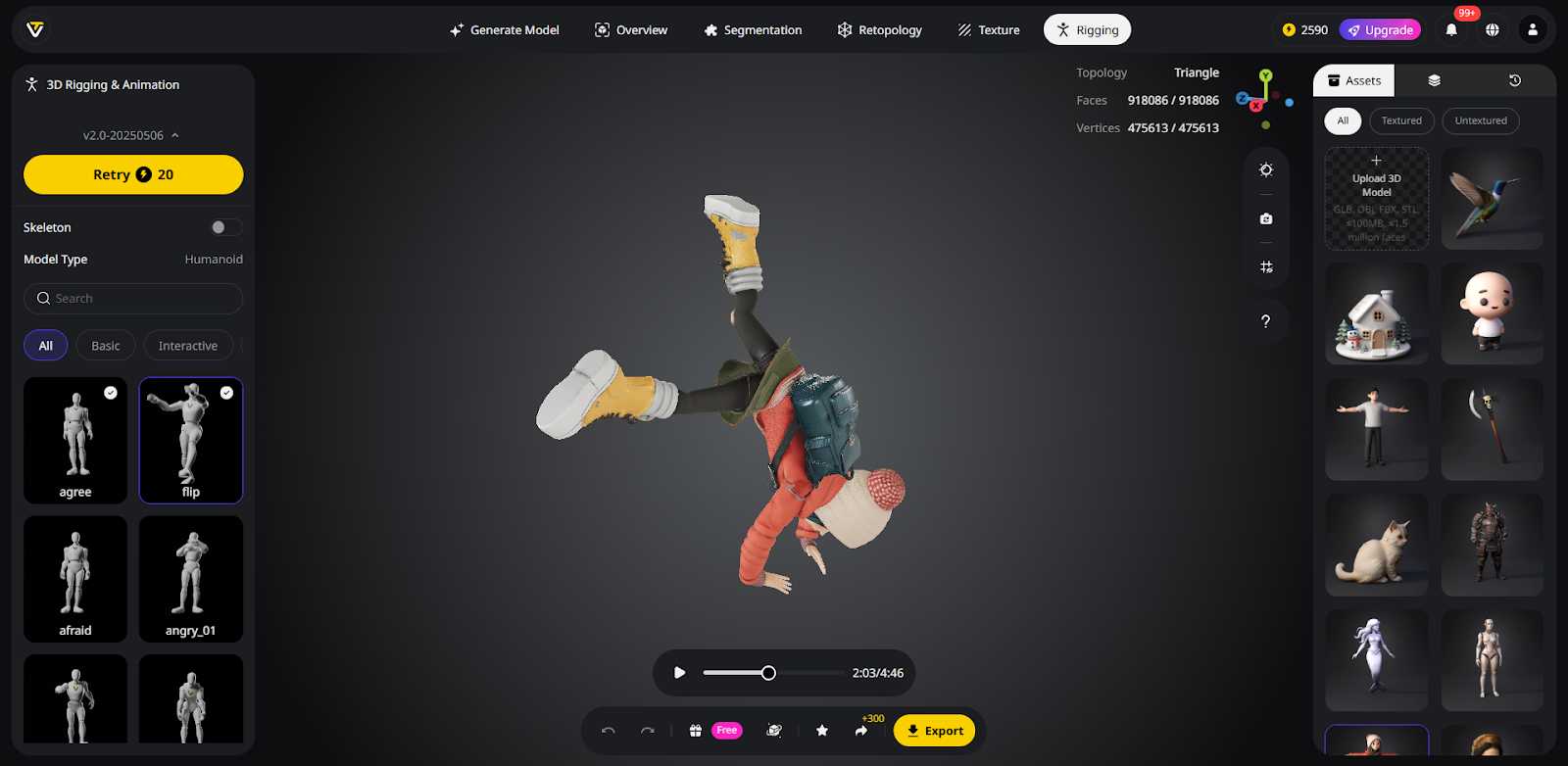
Rigging has long been a technical bottleneck in 3D production, but Tripo automates this process, turning static meshes into rigged, animation-ready models instantly. Its AI analyzes geometry to generate accurate skeletons, balanced skin weights, and natural deformations for humans, animals, stylized characters, and even mechanical objects—without manual setup.
Creators also gain access to 100+ mocap-quality biped animations for rapid testing. Once rigged, models can be exported to major 3D tools like Blender, Maya, or Unreal Engine, streamlining the path from 3D generation to motion-ready assets and letting creators focus on animation instead of technical setup.
After the model is ready, you can export it in multiple formats, such as OBJ, GLB, STL, or FBX. These formats are compatible with most 3D software, so you can continue refining your model in your preferred tools, like Nomad Sculpt.
Game Development
Indie developers can generate dozens of background props in a single afternoon—tasks that would traditionally take weeks—significantly accelerating environment creation.
Product Design
Startups are able to create interactive 3D previews of entire product lines in just days using Tripo's AI-driven workflow, reducing development time and improving visualization.
3D Printing
Tripo serves as an effective AI 3D model generator for 3D printing, allowing users with minimal modeling experience to design custom miniatures and print them directly for tabletop games or prototypes.
AR/VR Development
Virtual showrooms and immersive experiences can be populated efficiently by generating 3D assets from existing product images, enabling rapid deployment in AR and VR applications.
Empowering 3D Creativity
Tripo, a powerful 3D AI generator, enables even absolute beginners to produce high-quality 3D models in minutes. The barrier to entry is lower than ever, while the potential for quality continues to rise with each update. Beyond speed, this technology is democratizing creativity—ideas that once remained constrained by technical limitations can now take shape from just a few words or a single image.
Comments (0)